Harsh Singhi
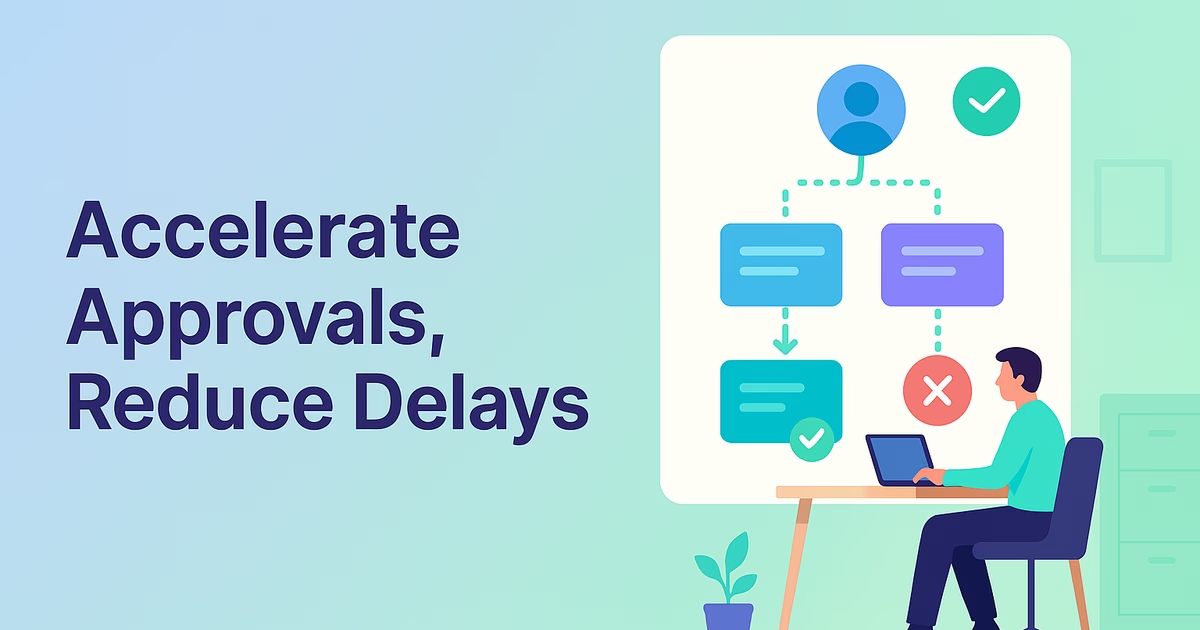
Every day, your team burns hours chasing signatures, reconciling email threads, and guessing who owns the next step: costly friction that slows the entire P2P cycle. Imagine approvals flowing automatically with real-time status on one screen, eliminating blind spots. Teams that adopt visual approval workflow dashboards for managers reduce decision time by up to 80%, proving that a better future is possible. In the next ten minutes, you’ll learn how Procbay’s approval workflow visualizations eliminate manual drags, what to look for in process visualization tools, and the exact steps to modernize your intake-to-pay approvals.
Ditch the Daily Churn: Why Visualize Your Approval Workflow?
From Spreadsheets to SLA-Based Workflows
Say goodbye to manual routing, shadow purchasing, and too-late procurement involvement. Instead, say hello to transparent approval workflow visualizations that replace opaque emails with interactive maps. This workflow mapping dashboard gives you real-time visibility into each handoff, SLA, and bottleneck. CFOs gain instant spend visibility, and CIOs get defensible audit trails that keep auditors out of your inbox.
Tangible Benefits for Finance & IT Leaders
- Faster cycle times: Cut purchase order approvals from days to hours by eliminating manual re-entry.
- Resource optimization: Managers spot backlogs and balance workloads, reducing the need to hire new staff.
- Compliance & governance: Role-based dashboards enforce policies while instantly flagging exceptions.
- Stakeholder confidence: Business units track their requests, leading to fewer “Where is my PO?” emails.
Spend Smarter. Grow Faster.
Gain control of expenses and boost efficiency with Procbay.
Key Elements of Effective Approval Workflow Visualizations
Visual approval workflow dashboards for managers: Kanban or timeline views to highlight overdue tasks and SLA breaches.
Approval tracking: Real-time indicators show who approved, who’s next, and how long each step took.
Workflow mapping dashboards: No-code, drag-and-drop builders to model key P2P processes like CAPEX flows and three-way match.
Analytics layer: Heat maps tracking cycle times, exception reports, and alerts that can predict and prevent delays.
Integration Fabrics: Pre-built connectors and APIs for ERP, e-sourcing, and contract management ensure your data flows smoothly and stays in sync.
Pro Tip
Start mapping your most painful approval workflow first, typically cap-ex requests or supplier onboarding, before attempting an enterprise-wide rollout. Securing early wins builds momentum and earns executive buy-in.
2026 Landscape of Process Visualization Tools
The following table provides a snapshot of outstanding solutions for business leaders looking to invest in approval visualization software. Each platform offers core workflow visualization and analytics tools; the difference is in customization depth and integrations.
| Platform | Dashboard Customization | Real-Time Approval Tracking | Analytics & AI | ERP Integrations | Notable Rating |
|---|---|---|---|---|---|
| Filestage | High: widgets & branding | Yes, with version compare | Predictive delay alerts | REST API, SAP plug-in | 4.6/5 |
| Smartsheet | Moderate: grid & Gantt | Yes | Baseline reporting | Oracle, NetSuite | 4.4/5 |
| Integrify | High: drag-and-drop builder | Yes | SLA monitoring | PeopleSoft, Infor | 4.4/5 |
| Cflow | Moderate | Yes | Rule-based insights | QuickBooks, Zoho | N/A |
| Kissflow | High: no-code studio | Yes | AI-driven recommendations | SAP, MS Dynamics | N/A |
Each vendor promises solid visuals, role-based routing, and approval tracking. When choosing, focus on analytics depth, technological synergy, and multi-tiered conditional logic support.
Case Study Snapshot: How Procbay Shortens a Manufacturer’s Cycle
A $2B industrial manufacturing company struggled with duplicates and lengthy cycles in its three-way match process.
After deploying Procbay’s visual approval workflow across 14 plants:
- Cycle time from GRN to invoice approval dropped from 10 days to just 48 hours.
- Maverick spend decreased as all requests moved through a single, visual approval path.
- Finance teams started reviewing exceptions daily via a unified dashboard, replacing inefficient CSV exports.
Most impressively, the company did all this without hiring additional analysts. Instead, they repurposed two full-time equivalents (FTEs) for strategic supplier development.
Five Steps to Map and Optimize Your Approval Flow
Step 1: Define the Atomic Process
Work with process owners to isolate a single workflow, for instance, contract approval or supplier onboarding. Document the required inputs, compliance reviews, and SLA goals.
Step 2: Build the Visual Blueprint
Using the workflow mapping dashboard, drag and drop each step into your approval flow. Set conditions, for example, “PO > $250,000 requires CFO approval.”
Step 3: Integrate Data & Systems
Connect your workflow visualisation tools to your ERP for vendor data, SSO for user roles, and e-signature for final approval. This linkage eliminates repeated, manual data re-entry.
Step 4: Launch & Monitor
Start with a pilot group. Managers can use the visual approval workflow dashboard for managers to identify overdue tasks, while the user-facing request progress bar boosts transparency.
Step 5: Analyze & Iterate
After the first month, export workflow analytics like cycle-time histograms, bottleneck heat maps, and rework data. Adjust SLAs or redistribute approvers based on findings.
Simplify Procurement. Accelerate Growth.
Procbay’s AI streamlines requests, approvals, and vendors, so you save time and scale faster.
Advanced Trends: AI and Predictive Insights in Process Visualization
Modern workflow visualization and analytics tools can now embed AI that predicts delays, flags policy exceptions, and tailors recommendations for optimal approvers based on historical data.
In 2025, enterprise adoption of AI-powered approval visualization for enterprises grew by a staggering 65%. Progressive teams are leveraging these predictive dashboards to enforce tighter vendor SLAs and reduce buffer stock levels without increasing operational risk.
Watch Out:
AI is only as reliable as your data. If your master data and process logs contain errors, the AI will generate blind spots. Clean approval tracking records and quality analytics are essential before deploying AI-driven insights.
Frequently Asked Questions
Q1. Can visual dashboards handle complex, multi-matrix approval workflows?
A1. Absolutely. Advanced platforms like Integrify and Kissflow can manage nested conditions, approval hierarchies, and ad-hoc rerouting, all while maintaining a clear, color-coded path for approval workflow visualisation.
Q2. How secure are these dashboards against data breaches or compliance violations?
A2. Enterprise-grade visual approval workflow dashboard for managers to enforce stringent security protocols. Look for SSO, field-level encryption, and fully auditable trails. Always verify SOC 2 or ISO 27001 certifications.
Q3. Do I need IT support to maintain daily updates to these visualizations?
A3. For routine metric tracking and workflow tweaking, most enterprise approval visualization software includes no-code, drag-and-drop dashboards. IT typically only intervenes during core setup or ERP integrations.
Your Transformation Starts Here
With visual approval workflow dashboards embedded within your intake-to-pay cycle, you convert enterprise-wide chaos into clarity, gain airtight compliance, and unlock your team’s strategic potential.
Explore the latest workflow mapping dashboards, benchmark your results, and draw a future-state blueprint at your own pace. Because the faster you visualize your approval process with SaaS tools, the sooner you optimize your financial and operational outcomes.
Next Steps: Modernize Your Workflow Today
Manual approvals do more than slow you down; they erode working capital, invite audit exceptions, and deplete valuable talent.
An optimized visual approval workflow dashboard puts you back in control with a crystal-clear process map, real-time approval tracking, and data-driven insights.
Book a 30-minute strategy session with Procbay today and learn how our SLA-driven and AI-ready dashboards integrate with your ERP workflows seamlessly, with no need for complicated rip-and-replace projects.
Related Articles
Strategic Sourcing vs Tactical Sourcing: Key Differences
Procurement leaders today face a dual challenge. They must deliver immediate cost control while building long-term supplier...
Read more
Boost Efficiency with Workflow Agents in Business
Summary: As procurement operations expand, the number of approval layers, supplier checks, and compliance requirements also increases....
Read more
Strategic Procurement Process: Step‑by‑Step Guide
Summary A properly organized strategic procurement process integrates procurement with business objectives, cuts costs, and builds better...
Read more