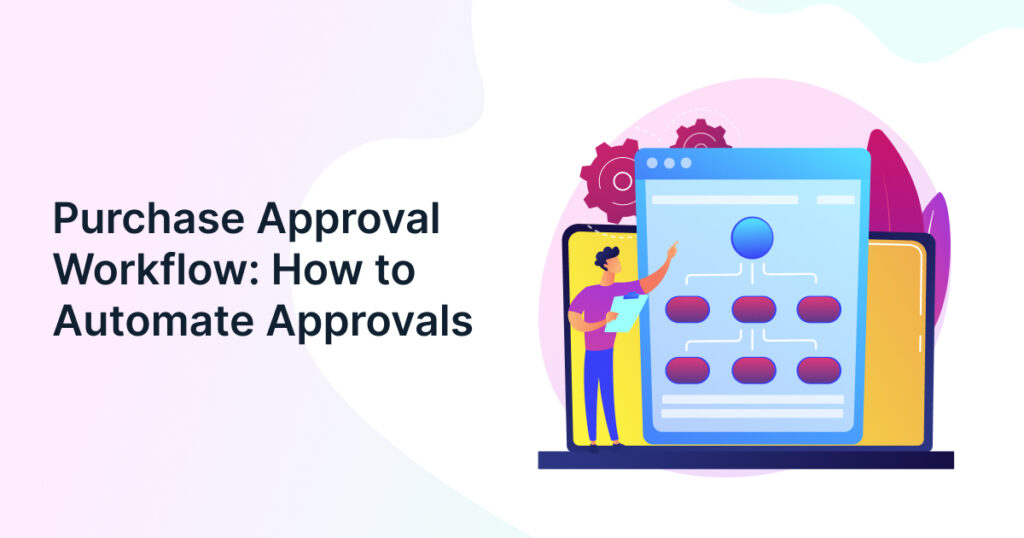
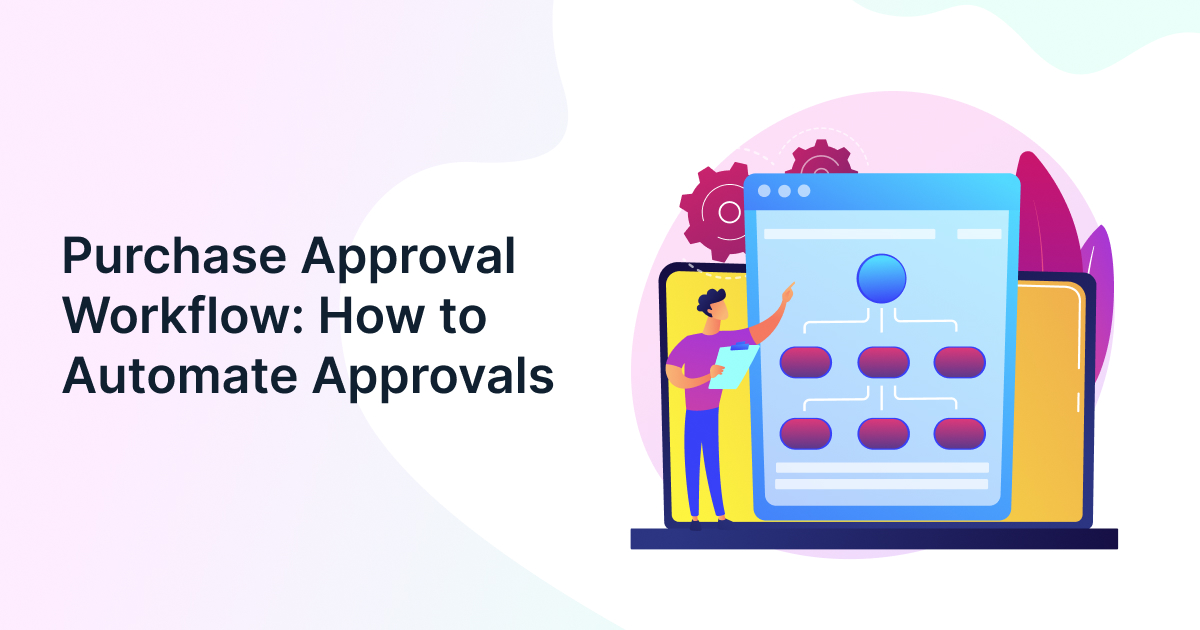
A well-designed purchase approval workflow helps procurement and finance teams authorize spending without creating unnecessary delays. Yet many organizations still rely on email chains, spreadsheets, and manual follow-ups to move purchase requests between managers, budget owners, and finance leaders. These methods can make it difficult to track pending decisions, enforce spending limits, and understand where purchasing delays originate.
Automating approvals gives organizations a way to apply consistent rules while keeping the right people involved in important decisions. Procbay’s Intake Workflow Agent streamlines request intake, routes purchases through predefined approval paths, and improves visibility into purchasing workflows.
The objective is not to approve every request faster regardless of risk. It is to distinguish routine purchases from decisions that need additional scrutiny. For procurement leaders evaluating automation, the right approach combines clear approval policies, reliable purchasing data, and measurable controls.
What Is a Purchase Approval Workflow, and Why Does It Need Automation?
A purchase approval workflow is a defined sequence of checks and authorizations that determines whether an organization can proceed with a proposed purchase. It specifies who reviews a request, which conditions trigger additional approval, and what must happen before purchasing can continue.
For example, a manufacturing company ordering replacement machine components might require the maintenance manager to confirm the need, the budget owner to validate available funds, and procurement to check supplier suitability. A larger capital equipment purchase may also require finance leadership approval.
The workflow becomes difficult to manage when these decisions depend on people forwarding emails or remembering internal policies.

Common problems with manual approvals
- Unclear ownership: Requests remain pending because employees do not know who must approve them.
- Repeated reviews: Several approvers check the same information without making distinct decisions.
- Limited budget visibility: A request may be approved without considering other commitments against the same budget.
- Inconsistent policy enforcement: Different departments follow different interpretations of spending limits.
- Weak audit trails: Supporting documents and approval records become scattered across inboxes and shared drives.
Automation can address these issues by routing requests according to predefined rules, notifying decision-makers, and maintaining a centralized record of decisions.
It also helps connect approvals with procurement intake and demand capture. When employees submit complete requests through a structured intake process, approvers have the information they need before reviewing the proposed expenditure.
| Signs Your Current Approval Process Needs Improvement | |
|
|
When Is Approval Automation Worth Implementing?
As procurement activities become more complex, manual approval processes can create delays, compliance gaps, and limited spending oversight. The following indicators help determine whether approval automation can deliver measurable operational and financial benefits.
- Growing request volumes – Purchase requests are increasing faster than procurement teams can process them, creating backlogs and slowing sourcing activities.
- Recurring delays – Approvals frequently stall in email threads or wait for stakeholder responses, extending procurement cycle times and delaying operations.
- Audit issues – Missing approval records, inconsistent documentation, or difficulty proving policy compliance create unnecessary audit risks.
- Multiple approval layers – Requests must pass through several departments, making manual coordination time-consuming and prone to bottlenecks.
- Poor spend visibility – Limited insight into pending approvals and committed spend makes budget tracking and cost control difficult.
- Frequent policy exceptions – Unauthorized purchases or inconsistent approval practices indicate a need for standardized, rule-based workflows.
- Scaling operations – Business growth, new plants, or expanding supplier networks require procurement processes that can scale efficiently without adding administrative overhead.
How to Automate a Purchase Approval Workflow Step by Step?
Automating approvals works best when an organization defines its decision rules before configuring software. Digitizing an unclear process can simply make the existing delays happen in a different system.
1. Standardize purchase requests
Start by defining the information required for each request. Depending on the purchase, this may include:
- Item or service description, quantity, and technical specifications.
- Estimated cost, currency, and required delivery date.
- Department, cost center, and budget owner.
- Preferred supplier, quotations, and contract details.
- Business justification and any relevant supporting documents.
Mandatory fields should reflect the purchase category rather than impose the same documentation burden on every request. A routine consumable reorder, for example, may require less supporting information than a new production machine.
A structured intake workflow agent can support this stage by guiding requesters through the information needed for downstream review.
2. Define approval rules and spending thresholds
Create an approval matrix that connects purchasing conditions to decision authority. Avoid relying on purchase value alone: a relatively inexpensive purchase from an unapproved supplier may require more scrutiny than a larger, budgeted order from an established vendor.
Useful routing conditions include:
- Purchase value and cumulative commitment.
- Department, location, and cost center.
- Budget availability and expenditure category.
- Supplier status and contract coverage.
- Risk, compliance, and technical requirements.
3. Configure conditional and parallel routing
Sequential routing sends a request to one approver after another. Parallel routing allows independent reviewers to assess the request simultaneously. Conditional routing changes the approval path according to the request’s attributes.
Choose the approach according to the decision being made. If Finance and Engineering can review a request independently, parallel routing may reduce waiting time. If Engineering must first validate a specification before Finance can assess the final cost, sequential routing may be more appropriate.
4. Automate notifications, escalation, and delegation
Configure reminders for pending requests, escalation rules for missed response deadlines, and authorized delegates for approvers who are unavailable. Define how the system should handle rejected requests, missing information, and changes to approved amounts.
An approval should not silently pass simply because an approver has missed a deadline. Escalation must follow the organization’s authorization policy.
5. Preserve records and measure performance
Maintain the request, supporting evidence, approval decisions, timestamps, and subsequent changes in an accessible record. Where systems are integrated, connect the approval outcome to the purchase order and relevant financial records.
Track approval turnaround time, overdue requests, return rates, exception frequency, and compliance with approval rules. These measures help determine whether automation is improving the process or simply shifting the bottleneck elsewhere.
Building a Purchase Approval Matrix
An approval matrix translates spending policies into clear decision rights. It should define who can authorize a purchase, when additional review is required, and which conditions override the normal approval route.
Use the following as a starting framework rather than a universal spending policy.
| Purchase scenario | Suggested approval path | Additional control |
| Routine purchase within budget from an approved supplier | Department manager or authorized budget owner | Verify budget availability and purchasing policy |
| Purchase above the department’s delegated limit | Budget owner plus the next authorized spending level | Confirm the total commitment |
| Unbudgeted purchase | Budget owner and Finance | Document funding source and business justification |
| New supplier or sensitive purchase category | Procurement plus relevant technical, legal, or risk reviewer | Complete required supplier checks |
| High-value capital expenditure | Business sponsor, Finance, and designated executive authority | Confirm capital authorization and investment justification |
Design rules that make the matrix effective
- Use total commitment, not just the first invoice. Consider contract duration, recurring charges, and renewal obligations where relevant.
- Separate financial authority from specialist review. IT may validate security, for example, without replacing the authorized budget owner’s spending decision.
- Define delegation and absence rules. Specify who can approve when the designated person is unavailable.
- Document overrides. Record why an exception was approved and who authorized it.
Which Approval Workflow Model Should Your Organization Choose?
The right purchase approval workflow depends on spending risk, organizational structure, and the number of independent decisions required. A company with centralized purchasing may need a different configuration from a multi-plant manufacturer with separate engineering, maintenance, and finance teams.
Three common models are worth comparing before selecting a solution.
| Workflow model | How it works | Best suited for | Main consideration |
| Sequential | Approvers review requests in a fixed order | Purchases requiring dependent checks | Each additional handoff can extend waiting time |
| Parallel | Multiple authorized reviewers assess a request simultaneously | Independent finance, legal, or technical reviews | The system must track all required decisions before release |
| Conditional | Rules determine the approval path based on value, category, risk, or budget | Organizations with varied purchasing requirements | Rules need regular review as policies change |
How to select the appropriate model?
Use these questions to evaluate your current process:
- Are decisions dependent on one another? Use sequential routing when one review must be completed before another can begin.
- Can reviews happen independently? Consider parallel routing when separate stakeholders can evaluate the request at the same time.
- Do purchases vary significantly in risk? Use conditional rules to avoid sending every request through the same approval chain.
- Do multiple locations follow different policies? Confirm that the system supports location-specific rules without creating conflicting approval paths.
In practice, a hybrid model is often appropriate. A routine, budgeted maintenance purchase could receive manager approval automatically through a defined route, while an unbudgeted capital expenditure could trigger additional Finance and executive reviews.
The important distinction is between a workflow that reflects actual decision requirements and one that simply reproduces the organization’s reporting hierarchy.
7 Key Benefits of Automating the Purchase Approval Workflow
- Faster decision-making: Automated routing sends requests to the right approvers instantly, reducing bottlenecks and shortening purchase cycle times.
- Stronger policy compliance: Predefined approval rules ensure every purchase follows company procurement guidelines and authorization hierarchies.
- Better spend control: Approval checkpoints help prevent unauthorized buying, budget overruns, and maverick spending.
- Greater visibility and accountability: Real-time tracking provides a clear view of request status, approver actions, and spending commitments.
- Reduced manual effort: Automated notifications, escalations, and workflows minimize follow-ups, paperwork, and administrative workload.
- Improved audit readiness: Every approval is documented, creating a complete digital trail for governance and audits.
- Enhanced supplier relationships: Faster approvals accelerate purchasing and payments, helping organizations respond quickly to supplier commitments.

How Should a Purchase Approval Workflow Handle Exceptions and Changes?
An approval remains valid only while the purchase stays within the conditions that were authorized. Organizations should define which changes require renewed review instead of assuming that the original approval covers every subsequent revision.
| Change or exception | Recommended response |
| Final quotation exceeds the approved amount or spending limit | Reassess the financial approval under the applicable policy |
| Supplier changes after approval | Recheck supplier eligibility and any required risk reviews |
| Purchase specification changes materially | Obtain the relevant technical or business reapproval |
| Budget becomes unavailable before commitment | Pause the transaction and confirm funding authority |
| Urgent purchase bypasses the standard route | Use an authorized exception path and retain supporting evidence |
| Approver is unavailable | Route to an authorized delegate rather than bypassing the control |
Establish clear exception rules
The system should distinguish between an administrative correction and a change that affects the original decision. Correcting a typographical error may not require renewed approval; changing the supplier, scope, or financial commitment may.
For each exception, define the trigger, responsible reviewer, required evidence, and whether the request must be paused. This prevents employees from relying on informal messages as substitutes for documented authorization.
When evaluating purchase approval software, ask vendors to demonstrate how changed requests are flagged, approvals are reassessed, and the final authorization record is preserved.
Evaluating the Purchase Approval Software
Purchase approval software should do more than replace email notifications. It should connect purchasing requests to the rules, records, and financial information required to authorize spending responsibly.
For procurement leaders comparing vendors, evaluate the following capabilities against real purchasing scenarios rather than relying solely on feature lists.
Essential capabilities to assess
Configurable approval rules
Can the platform route requests using spend thresholds, cost centers, categories, supplier status, and budget conditions? Can authorized administrators update rules without rebuilding the entire process?
Budget and commitment visibility
Can approvers see relevant budget information and existing commitments before authorizing expenditure? Check whether this information updates promptly and how the system handles concurrent requests.
Controls and auditability
Does the system record decisions, timestamps, changes, and supporting documents? Can it enforce approval limits and preserve separation between requesting, approving, and releasing purchases?
Integration and exception handling
Can the platform connect with existing ERP, finance, and purchasing systems? Test what happens when a request is incomplete, an approver is unavailable, or an approved amount changes.
Reporting and analytics
Can managers identify approval bottlenecks, recurring exceptions, overdue decisions, and differences in turnaround time across departments or locations?
Choosing Between ERP Approval Features and Dedicated Procurement Software
The right choice depends on whether existing systems can manage the organization’s purchasing requirements without excessive manual work or fragmented controls. Dedicated procurement software is not automatically necessary, and an ERP’s existing approval functionality should not be dismissed without testing it.
| Evaluation factor | Existing ERP or finance workflow | Dedicated procurement platform |
| Basic approval routing | May be sufficient for established, straightforward rules | May provide more procurement-specific workflow options |
| Procurement intake | Check whether requesters receive structured guidance and validation | Assess guided intake and support for procurement-specific requests |
| Sourcing and supplier coordination | May require additional modules or connected systems | May offer a more integrated procurement experience, depending on the product |
| Financial records and ERP integration | Often benefits from existing financial data and controls | Integration quality and synchronization need careful evaluation |
| Configuration and administration | Assess internal expertise and the cost of maintaining custom rules | Assess configuration flexibility, implementation effort, and vendor dependence |
| Reporting across purchasing stages | Check whether data is available across requests, sourcing, and orders | Assess whether reporting spans the stages relevant to your team |
Use a scenario-based decision
Test both approaches with a routine purchase, an unbudgeted request, and a purchase involving a new supplier. Measure routing accuracy, data re-entry, exception handling, auditability, and the effort required to maintain the rules.
An existing system may be sufficient if it handles these cases reliably. A dedicated platform becomes worth evaluating when disconnected intake, sourcing, approvals, and purchasing records create persistent gaps that configuration alone cannot reasonably resolve.
The decision should reflect operational fit and total ownership cost, not the number of features listed in a vendor presentation.
A practical vendor evaluation framework
Ask shortlisted vendors to demonstrate the same three scenarios using your organization’s rules:
- A routine purchase within budget from an approved supplier.
- An unbudgeted request that requires additional financial authorization.
- An urgent production-related purchase involving a new supplier or a policy exception.
Compare whether each platform routes the requests correctly, captures the necessary evidence, handles exceptions, and provides a usable record for audit and reporting.
Also establish implementation requirements, integration costs, administrator training needs, and ongoing maintenance responsibilities. A feature-rich platform may not be the right fit if maintaining its workflows requires extensive technical support.
How to Measure Results and Avoid Common Automation Mistakes?
A purchase approval workflow should be evaluated through operational performance and control quality, not approval speed alone. Faster approvals offer limited value if they bypass required reviews or allow unplanned spending to proceed unnoticed.
Measure the right indicators
Track a baseline before implementation, then compare performance over a representative period.
| Metric | What it reveals | How to interpret it |
| Median approval time | Typical time spent awaiting decisions | Segment by category and approval path |
| Overdue approval rate | Requests missing their target response time | Identify recurring bottlenecks and unavailable approvers |
| First-pass completeness | Requests approved without being returned for missing information | Low results may indicate poor intake requirements |
| Exception rate | Purchases requiring manual intervention | Review whether exceptions are justified or rules need adjustment |
| Policy compliance | Requests following the required authorization rules | Check against audit findings and policy violations |
| Rework rate | Requests resubmitted after rejection or clarification | Identify unclear requirements or routing problems |
Avoid these implementation mistakes
- Adding too many approval layers: More approvers do not automatically mean stronger controls. Assign to each reviewer a clear responsibility and remove redundant checks where policy permits.
- Automating incomplete requests: If requesters routinely omit specifications, budgets, or quotations, routing alone will not resolve the problem. Improve intake quality before expanding automation.
- Ignoring organizational changes: New cost centers, revised spending limits, and employee transfers can make approval rules inaccurate. Assign an owner to review the configuration periodically.
- Treating every exception as a failure: Some purchases legitimately require manual review. Measure whether exceptions are appropriate, documented, and resolved within an acceptable period.
- Optimizing approvals in isolation: Approval delays may be only one part of a longer purchasing cycle. Supplier discovery, quotation collection, and commercial evaluation can also create waiting time. Connecting approvals with strategic sourcing helps procurement teams consider authorization alongside supplier selection and purchasing decisions.
For a wider view of these delays, read how to reduce procurement cycle time without increasing costs.
Calculating the ROI of Purchase Approval Automation
The business case for approval automation should compare the expected operational benefit with the full cost of implementing and maintaining the solution. Faster approvals are useful, but the financial case becomes stronger when the organization can measure administrative effort, rework, and avoidable purchasing delays.
Build a simple baseline
Estimate the annual cost of the current process using:
- Number of purchase requests processed each year.
- Average administrative time spent per request.
- Fully loaded hourly cost of the employees involved.
- Annual cost of software, integration, training, and workflow maintenance.
- Measurable costs associated with rework or delays, where reliable data exist.
For example, suppose a company processes 12,000 requests annually and spends an average of 15 minutes of administrative effort per request. If automation reduces that effort by 5 minutes, the estimated time saved is 1,000 hours per year.
At an illustrative loaded labor cost of ₹800 per hour in India, that represents ₹8,00,000 in annual labor capacity released. This is a hypothetical illustration, not a benchmark or guaranteed cash saving.
The ROI can be roughly calculated as:
ROI = (Annual net benefit / Annualized automation cost) x 100
Annual net benefit should account for measurable savings and other defensible benefits, less the relevant operating costs. Avoid counting the same benefit twice or treating every released employee hour as a direct cash saving.
Compare the result against a baseline and test conservative, expected, and optimistic scenarios. This gives finance and procurement functions a more credible basis for deciding whether to expand a pilot or shortlist a solution.
Key Takeaways
- A purchase approval workflow should reflect spending authority, budget conditions, supplier risk, and the decisions each reviewer is responsible for making.
- Automate routine routing, reminders, and record-keeping, while preserving human judgment for high-value, unbudgeted, or exceptional purchases.
- Compare software using real purchasing scenarios, integration requirements, audit controls, and exception handling rather than feature counts alone.
- Measure approval speed alongside policy compliance, request completeness, rework, and budget visibility to confirm that automation delivers meaningful operational improvements.
Conclusion
Procurement approval design is ultimately a question of how an organization wants to make spending decisions as it grows. Teams that establish clear decision ownership and reliable purchasing information can make it easier to respond to operational needs without weakening financial discipline.
For procurement and finance leaders, the next step is to identify where the current process creates avoidable waiting, where controls are insufficient, and which improvements would have the greatest impact on business operations. A focused evaluation can help determine whether existing systems need better configuration or whether dedicated procurement technology is justified.
Procbay can help your team explore how procurement workflows fit into a more connected purchasing process. Schedule a demonstration to discuss your requirements, review relevant capabilities, and assess whether the platform fits your organization’s approval and control needs.
Frequently Asked Questions
Q. What is the difference between a purchase approval workflow and a purchase order approval workflow?
A. A purchase approval workflow authorizes the proposed expenditure, while a purchase order approval workflow focuses on approving the purchase order before it is issued. Depending on company policy, the two workflows may be connected or managed separately.
Q. How does approval automation reduce procurement delays?
A. Approval automation routes requests according to predefined rules, sends reminders, escalates overdue decisions, and supports parallel reviews where appropriate. It can reduce administrative waiting, although incomplete requests, supplier delays, and complex decisions may still extend the purchasing cycle.
Q. What features should purchase approval software include?
A. Purchase approval software should support configurable routing, spending thresholds, budget checks, role-based permissions, audit trails, notifications, exception handling, and reporting. Integration with ERP and finance systems is also important for maintaining consistent purchasing and financial records.
Q. Can a procurement approval workflow support multiple plants and departments?
A. Yes. A procurement approval workflow can use department-specific, location-specific, and category-specific rules while maintaining organization-wide controls. Central administrators should be able to manage shared policies without removing legitimate differences in local purchasing authority.
Q. How can organizations automate approvals without losing financial control?
A. Organizations can automate routine, low-risk decisions within approved limits while retaining human authorization for exceptions, unbudgeted expenditure, and higher-risk purchases. Role-based permissions, segregation of duties, and documented decision records help preserve accountability.
Q. How long does it take to implement an automated purchase approval process?
A. Implementation time depends on workflow complexity, data quality, integration requirements, and the number of departments involved. A limited pilot with clear approval rules is often a practical starting point before expanding to additional categories or locations.
Connect with our procurement experts to tailor an AI-governed sourcing strategy for your enterprise.
Contact Us